Fire risk assessments
How an assessment moves through TIFA Fire, from creating the job and walking the building to issuing the report and action plan.
On site
The assessor arrives knowing the building, captures what they see in whatever order they see it, and leaves knowing nothing has been missed.
Step 1: Create the assessment
Pick the client and premises, the assessment type and your template. The assessor is assigned from the diary.Step 2: Add premises details
Use, storeys, occupancy, stairs, alarm and lighting. Anything from the last assessment is carried forward for the assessor to confirm or change.Step 3: Capture voice, photos and documents
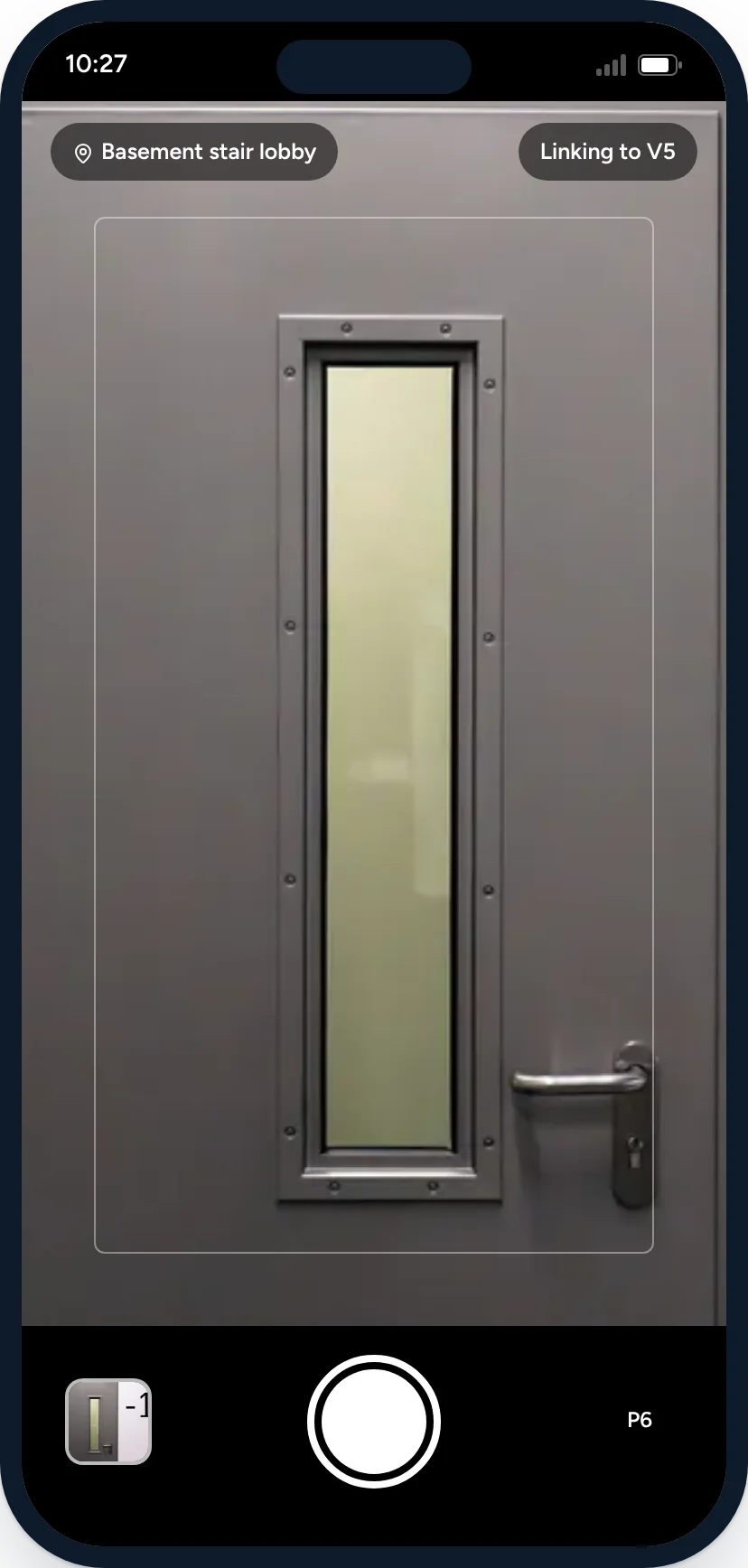
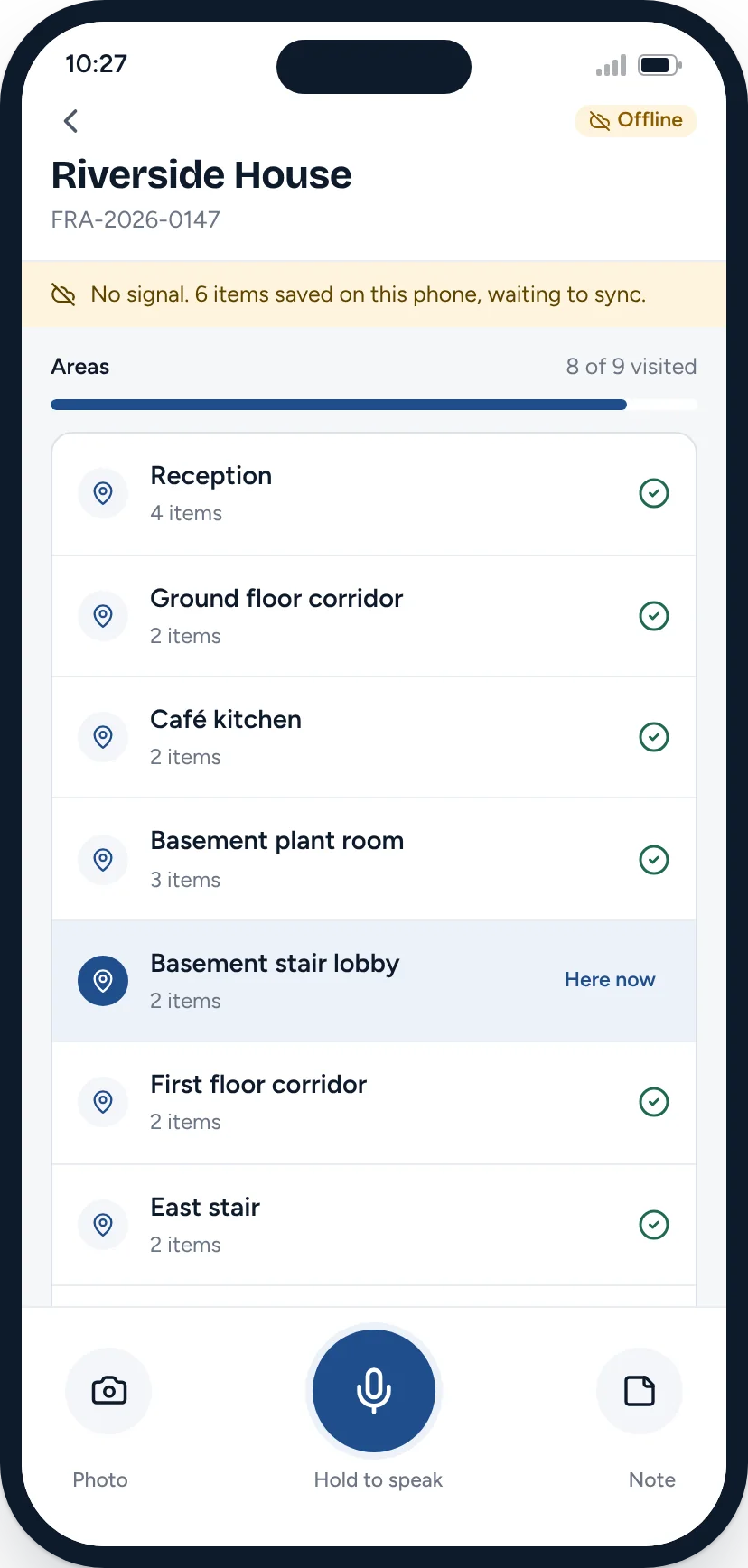
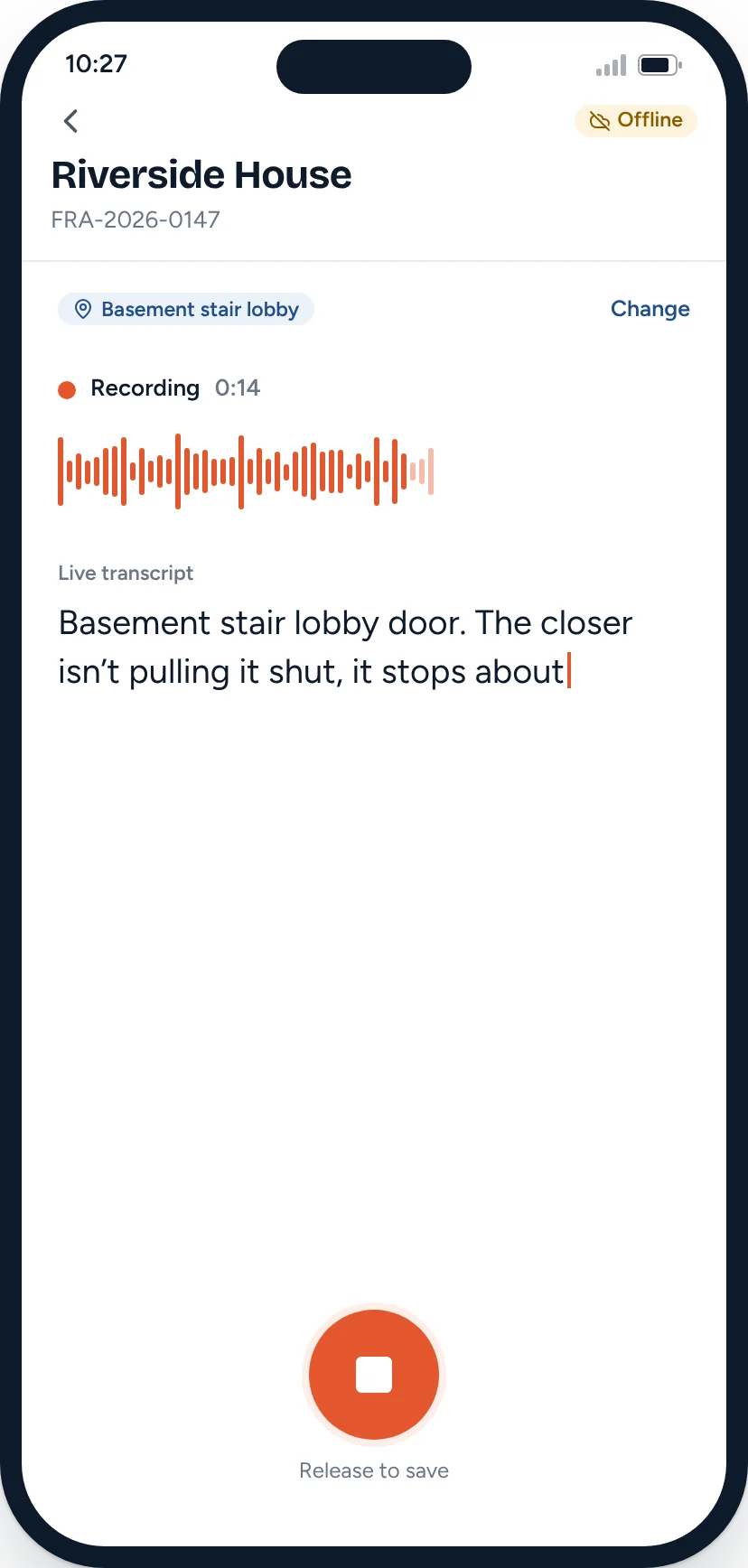
Hold to speak, take photos, scan a logbook page. Each item is tagged to a location and saved on the phone, with or without signal.- The original recording is kept with its transcript.
- Photos and clips link to the voice note they belong to.
- Items wait on the phone and sync when signal returns.
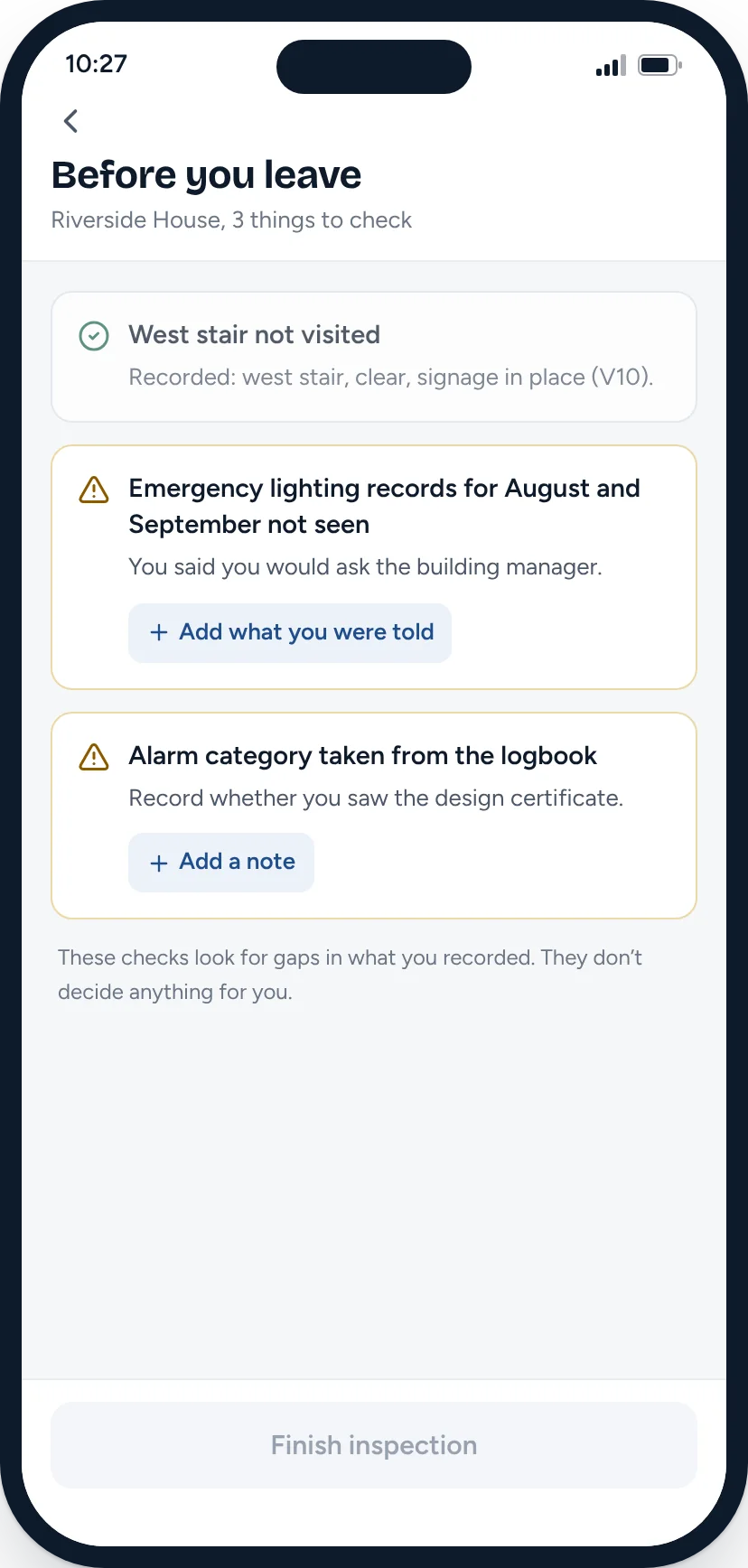
Step 4: Check before you leave
Before you finish, the app lists gaps: an area the template expects that you haven’t visited, records you said you’d ask for, information you haven’t confirmed.
The organised inspection
Back at the desk, everything from the visit is waiting, sorted by location and type. Nothing has been retyped.
Step 5: See the inspection organised
Voice notes, photos and documents grouped by the location you tagged, with times, durations and transcripts. Reported information is labelled as reported.
Draft and review
The draft is prepared against your template from the evidence. Then the assessor checks it finding by finding, makes every judgement and approves a specific version.
Step 6: Generate the draft report
Notes are sorted into your template’s sections and written up. Every finding cites the voice notes, photos and documents it relies on. Select a reference to see the evidence.Step 7: Review each finding
The original evidence sits next to the draft wording. Points that don’t add up are flagged, such as a figure in a transcript that doesn’t match the photo.
Step 8: Edit the wording and decide
Correct the text, accept, edit or reject suggested actions, and set the priority yourself. Record your reasoning where it matters. It is kept in the audit trail.Step 9: Approve the report
Approval needs every finding reviewed and every flag dealt with. It records your name, the time and the exact version. A material change afterwards opens a new version that needs approval again. Independent technical review can be required by your own quality rules.
Report and action plan
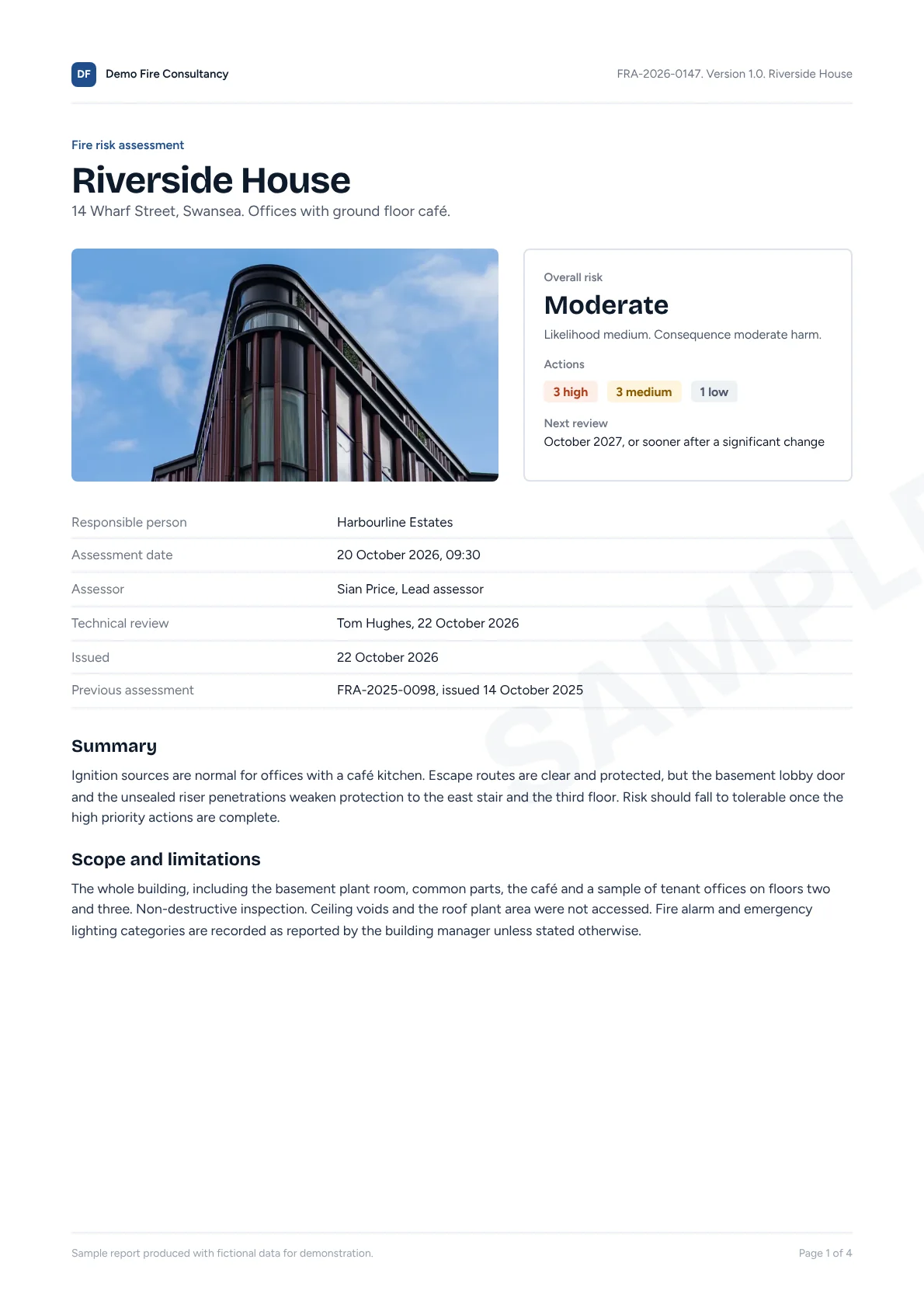
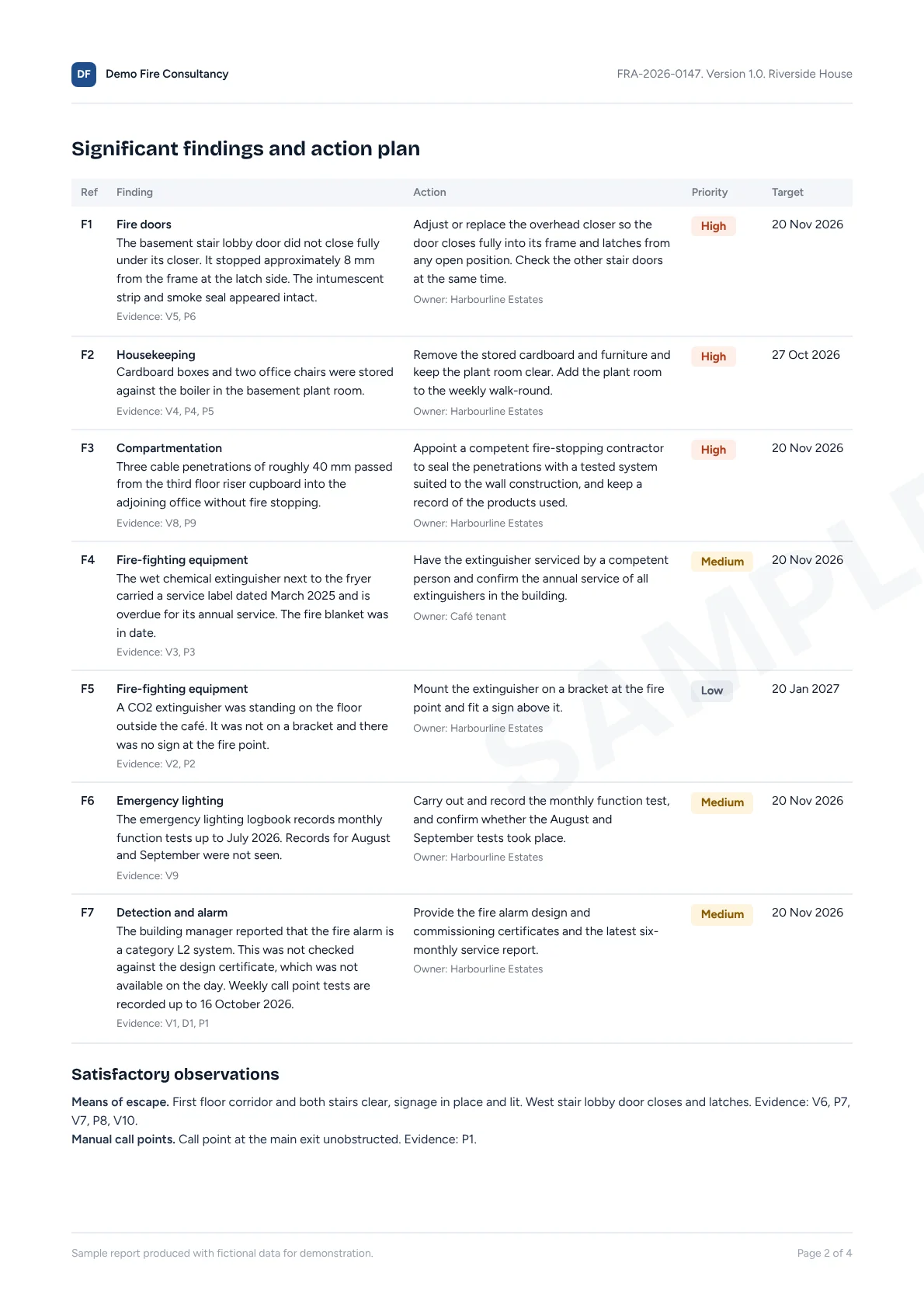
The approved version becomes a branded PDF and a live action plan. Both go to the client in one step.
Step 10: Produce the action plan
Each finding carries its action, priority, responsible party and target date into the plan, with references back to the evidence.Step 11: Issue the report
Send a secure link, publish to the client portal and prepare the invoice. Earlier versions stay in the history.
- Your branding, cover and report structure
- Scope, limitations and reported information stated plainly
- Assessor competence and the approval record
- Photo evidence with references
What the AI does, and what it doesn’t
AI in TIFA Fire is a set of narrow assistants with defined inputs and outputs. None of them can approve, issue or decide anything.
| Assistant | What it does | Where it stops |
|---|---|---|
| Inspection assistant | Turns spoken observations into transcripts and evidence items, tagged to the location you chose. | It doesn’t decide what an observation means or whether it is a finding. |
| Document assistant | Reads logbooks, certificates, drawings and previous reports you upload, and pulls out dates, categories and references. | Anything it reads is labelled as taken from a document, not seen on site. |
| Drafting assistant | Writes report wording against your template from the evidence you recorded, with a source reference on every finding. | It doesn’t add observations, set risk ratings or choose priorities. |
| Quality assistant | Looks for gaps and contradictions: areas not visited, figures that don’t match a photo, missing information the template expects. | It flags. It never fixes anything without you. |
Templates are configured for each firm. Templates based on published assessment methods use properly licensed content. Compliance of an assessment rests with the competent assessor who signs it, and TIFA Fire gives them the evidence trail and review process to support that.
See TIFA Fire with your own template in mind
Thirty minutes. We’ll walk through an assessment from site visit to client portal, then talk through how your template, your review process and your clients would fit.