Fire risk assessment software
Record observations, photographs and site notes on your phone. TIFA Fire organises the evidence and prepares a draft assessment for your review and approval.
What TIFA Fire is
TIFA Fire is part of the TIFA Group. It is in development, and you can try a working demo with sample data today.
TIFA Fire is software for the people who carry out fire risk assessments: independent assessors, fire safety consultancies, and property or facilities teams with their own assessors. It covers the whole job, from the first enquiry to the client working through the action plan.
On site, the assessor records what they find by speaking into their phone and taking photos. Back at the desk, TIFA Fire turns those notes into a draft report in the firm’s own template, with every finding linked to the evidence behind it. The assessor checks the draft, corrects it, makes the professional judgements and approves it. Nothing reaches a client until they do.
Around the assessment sit optional tools for running the business: enquiries, quotes, bookings and invoices, and a portal where clients see their reports and track remedial work. A separate version supports fire and rescue services with regulatory fire safety audits.
- Mobile inspectionVoice notes, photos and location tags on site, with or without signal.
- Draft and reviewA draft in your template with sources on every finding, checked and approved by you.
- CRM and bookingsEnquiries, quotes, diaries, jobs and invoices in the same system.
- Client portalReports, action plans and completion evidence for each client.
Watch an assessment go from site visit to client portal
Recorded from the demo application with sample data. A customer and premises are added, an observation is spoken and photographed, the draft is corrected and approved, and the client sees the report.
Every finding points back to what you recorded
Voice notes, photos and documents are tagged to where you captured them. The draft cites them, the review checks them and the action plan carries them through to your client.
Record on site
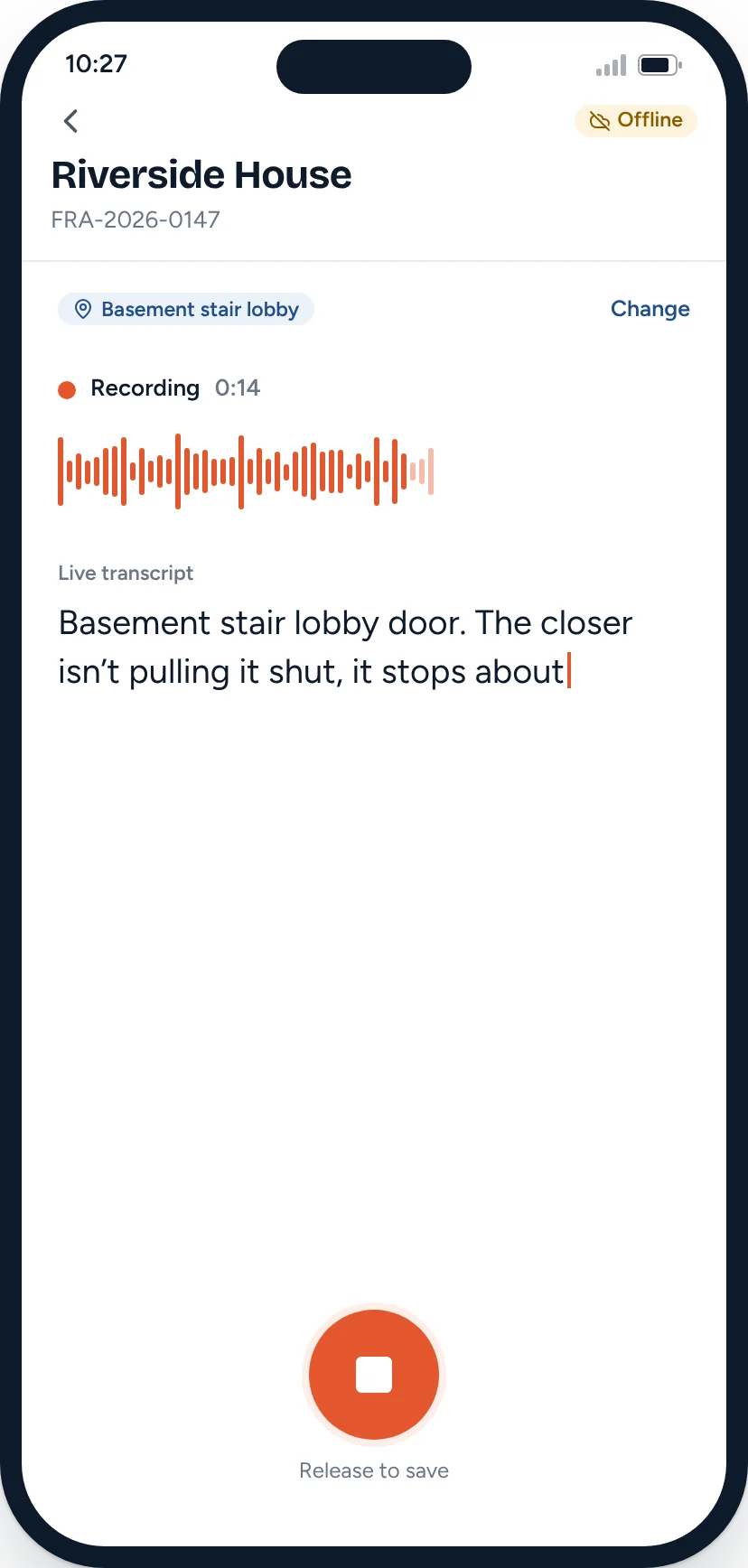
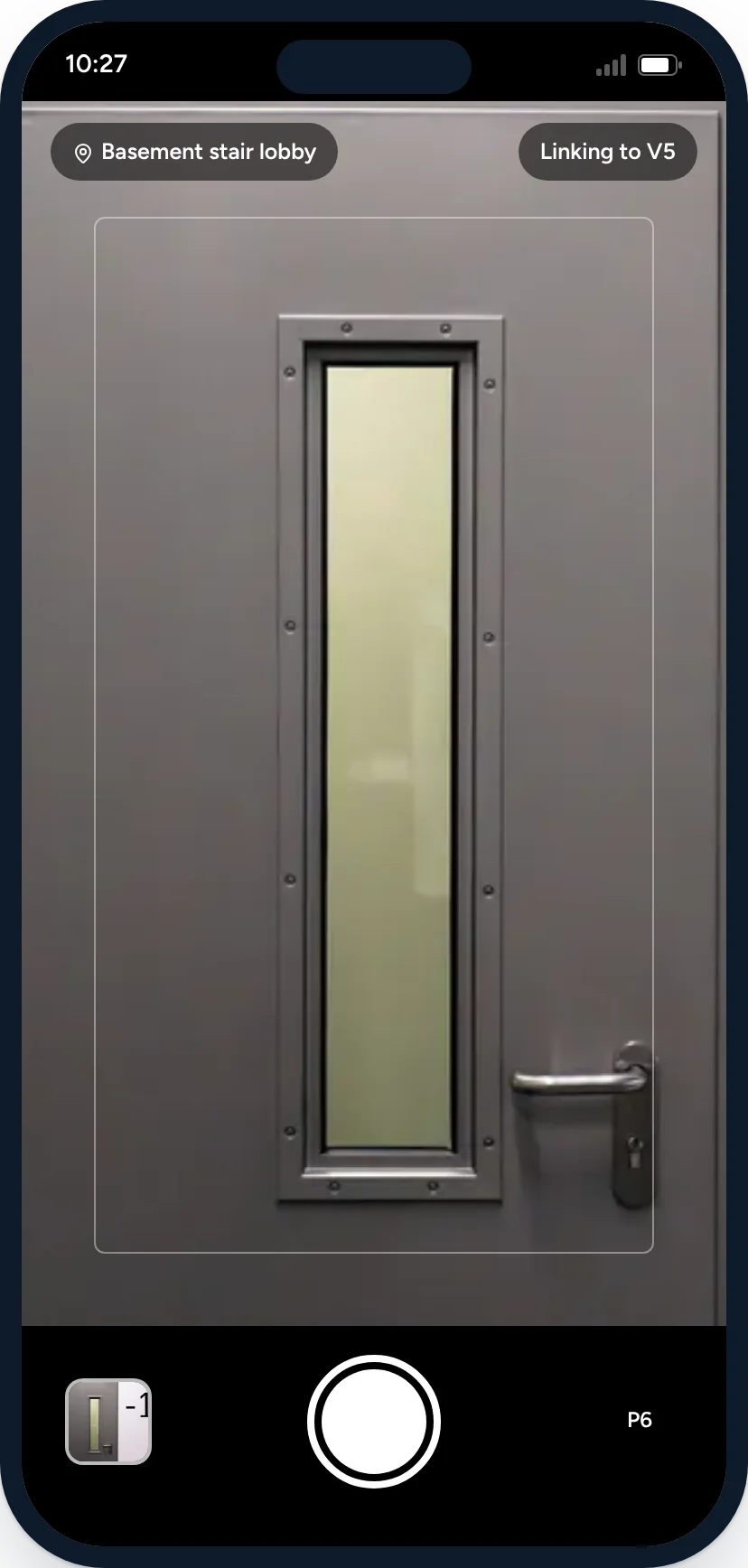
Speak and photograph as you walk the building. Each item is tagged to where you were standing.
The door did not close fully under its closer. It stopped approximately 8 mm from the frame at the latch side. V5 P6
Review the draft
Draft wording arrives with its sources. You check it, correct it, make the decisions and approve.
- F1. Repair the lobby door closerTarget 20 NovWork booked
- F4. Service the kitchen extinguisherCertificate uploadedReported complete
- F2. Clear the plant roomPhoto checkedVerified
Issue and track
The client gets the report and works through the actions. You can see what is reported done and what you have verified.
Record site observations by voice
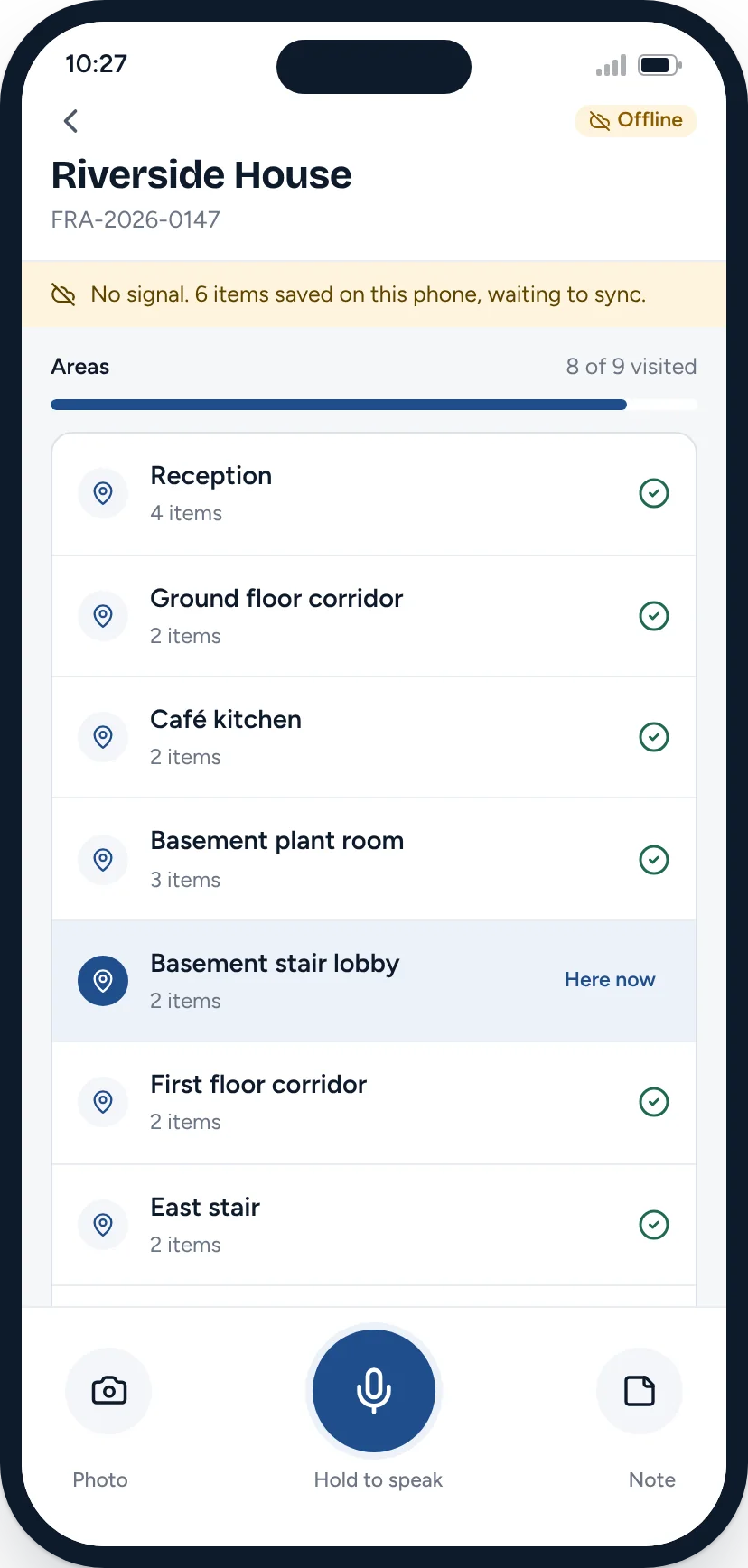
Walk the building and talk. Take photos as you go and tag each one to the room or stair you are in. Everything saves to the phone first, so a basement with no signal is not a problem.
- Voice notes with a live transcript. The original recording is kept.
- Photos and short video clips linked to the note they belong to.
- The previous assessment and premises details to hand before you arrive.
- A check for gaps before you leave site, such as an area you haven’t visited.
Review the draft, with its sources
After the visit, your evidence is sorted by location and your notes are drafted into your template’s sections. Each finding cites the notes and photos it relies on.
- Information reported to you is labelled as reported, not seen.
- Anything that doesn’t add up is flagged for you to check.
- Suggested actions are offered for you to accept, edit or reject.
- Documents such as logbooks and previous reports can be read in.
You review every finding before anything is issued
TIFA Fire prepares the paperwork. The assessor makes the professional decisions and approves a specific version of the report.
Evidence beside the wording
The original voice note and photo sit next to the draft, so you can check one against the other.
Mismatches are flagged
Here the transcript said 80 mm and the photo showed a door almost closed. The figure was corrected.
Your reasons are kept
A suggested door replacement was rejected. The assessor’s reasoning goes into the audit trail.
Approval locks the version
Version 1.0 is approved by name and time. A later change opens version 1.1 for approval.
Manage bookings and clients
Enquiries, quotes, assessor diaries, jobs and invoices sit in the same system as the assessments, so nobody types a client’s details twice. Use as much of it as you need.
- Quotes built from your price list and sent with dates from the diary.
- Bookings placed in the right assessor’s calendar.
- An invoice prepared when a report is issued, sent when you choose.
- Reminders before an assessment falls due for review.
Track outstanding actions
Clients log in to see their premises, download reports and work through the action plan. They upload photos and certificates as work gets done.
Work a client or contractor reports as complete is always shown separately from work an assessor has verified.
Who it is for

- Independent fire risk assessors
- Spend less of your evening writing up. Use the assessment module on its own, with your own template and branding.
- Fire safety consultancies
- One template, one review process and one view of every job, assessor and client, with the CRM and portal when you want them.
- Property and facilities teams
- Housing providers, managing agents and facilities teams with in-house assessors or a portfolio of premises to keep on top of.
- Fire and rescue services
- A separate product for protection teams carrying out regulatory fire safety audits. Fire & Rescue
Fire safety auditing for fire and rescue services
A separate product for protection officers. It supports preparation, evidence, the audit record and routine correspondence. Decisions and enforcement stay with authorised officers.
Pricing
TIFA Fire will be priced on the reports you issue, with optional modules priced per organisation. Rates are being finalised.
- Assessments
- Charged per issued report, with lower rates at higher volumes.
- Optional modules
- CRM, bookings, invoicing, client portal and action tracking, priced per organisation.
- Fire & Rescue
- Agreed with each service after a controlled pilot.
Questions
Does the AI write the fire risk assessment?
No. It drafts wording from what you recorded on site. You review every finding, decide on risk and priorities, and approve the report. Every finding links to its source, and nothing is issued until you approve a specific version.
Could it invent observations?
It is built not to. Draft wording only uses the notes, photos and documents recorded for that assessment. Where something is missing or doesn’t add up, it is flagged for you to deal with, and information reported to you is labelled as reported.
Can we use our own template?
Yes. Templates are set up for each firm with your sections, questions and wording. Templates based on published assessment methods are set up with properly licensed content. Responsibility for the assessment stays with the competent assessor who signs it.
Does the app work without signal?
Yes. Voice notes, photos and documents are saved on the phone and sync when you are back in coverage, so basements, plant rooms and risers are fine.
Do we have to use the CRM and client portal?
No. The assessment module works on its own. CRM, bookings, invoicing, the client portal and action tracking are optional modules you can add when you want them.
What happens to the original recordings?
They are kept unchanged with the assessment. Transcripts can be corrected, and every correction is recorded with who made it and when.
Who owns the data?
Your firm does, and you can export it at any time. TIFA Fire is being built on the same UK and EU hosted infrastructure as TIFA’s other software.
Is TIFA Fire available now?
TIFA Fire is in development. You can try the interactive demo with sample data today, and book a demo to talk about using it in your firm.
Is the fire and rescue product the same software?
It shares the same foundations but has its own workflow, built around regulatory audits, officer decisions and supervisory review. Read about Fire & Rescue.
See TIFA Fire with your own template in mind
Thirty minutes. We’ll walk through an assessment from site visit to client portal, then talk through how your template, your review process and your clients would fit.